
How to Promote Your Game Demo Before Launch
A practical plan for getting your demo in front of the right players before launch without spamming every channel you can find.
On this page
A demo is one of the strongest trust signals you can publish before launch, but only if people can actually find it and understand why it matters.
Too many teams spend months building a demo and then "announce it" with one trailer post and a few social links. That is not demo promotion. That is hoping the demo promotes itself.
This guide is about how to time a demo, how to distribute it, and how to turn demo attention into store clicks, feedback, and better launch readiness.
Why demos matter
Demos are useful because they do three things at once:
- they prove the game is real
- they help players decide whether to wishlist or follow
- they give creators and communities something concrete to react to
For some genres, the demo is also the fastest way to explain tone. A short playable slice can do more than six screenshots and a trailer if your game depends on feel, pacing, or system clarity.
When to announce a demo
The best answer is: when the demo helps your next marketing beat, not just when it technically exists.
Good demo timing usually looks like one of these:
- 60 to 90 days before launch if the demo is part of pre-launch wishlist building
- alongside a festival submission or event beat
- when you start creator outreach
- when your Steam page and store assets are already polished enough to catch the spillover interest
Bad timing usually looks like:
- publishing the demo before the Steam page is ready
- dropping a buggy build that teaches the wrong first impression
- announcing a demo with no follow-up plan for feedback or store traffic
Steam demo visibility
Steam is still the default home for demo conversion because it connects the playable build to the store page. That matters when the demo does its job and the player wants to act.
Make sure:
- the store page is polished before the demo is promoted
- the trailer shows the actual play loop quickly
- the screenshots match the best parts of the demo
- the short description says what the demo actually proves
If the demo is strong but the store page is weak, you are wasting the best moment of intent.
Steam Next Fest
Steam Next Fest is a major visibility beat, but it rewards preparation more than mere attendance.
Before the event:
- tighten the first ten minutes of the demo
- prepare creator outreach in advance
- line up feedback capture
- make sure your Steam page looks consistent with the build
- have follow-up posts and clips ready
During the event:
- watch where players get confused
- note what gets clipped or shared
- update messaging if one part of the pitch is clearly landing better than the rest
After the event:
- use the best reactions in later outreach
- improve the store page and trailer based on what players understood fastest
- keep the demo visible through other discovery surfaces instead of letting the momentum die
Creator outreach for demos
Demos make creator outreach easier because the ask is clearer. You are not asking someone to imagine the finished game. You are asking them to try something playable.
What to prepare:
- a concise pitch email
- why the demo fits that creator specifically
- a build or access instructions
- a short trailer or clip
- two or three bullet points on what the audience should notice
Do not spray the same note to every inbox. A smaller creator who already covers your genre, tone, or loop is usually worth more than a giant creator who will play the game with no context.
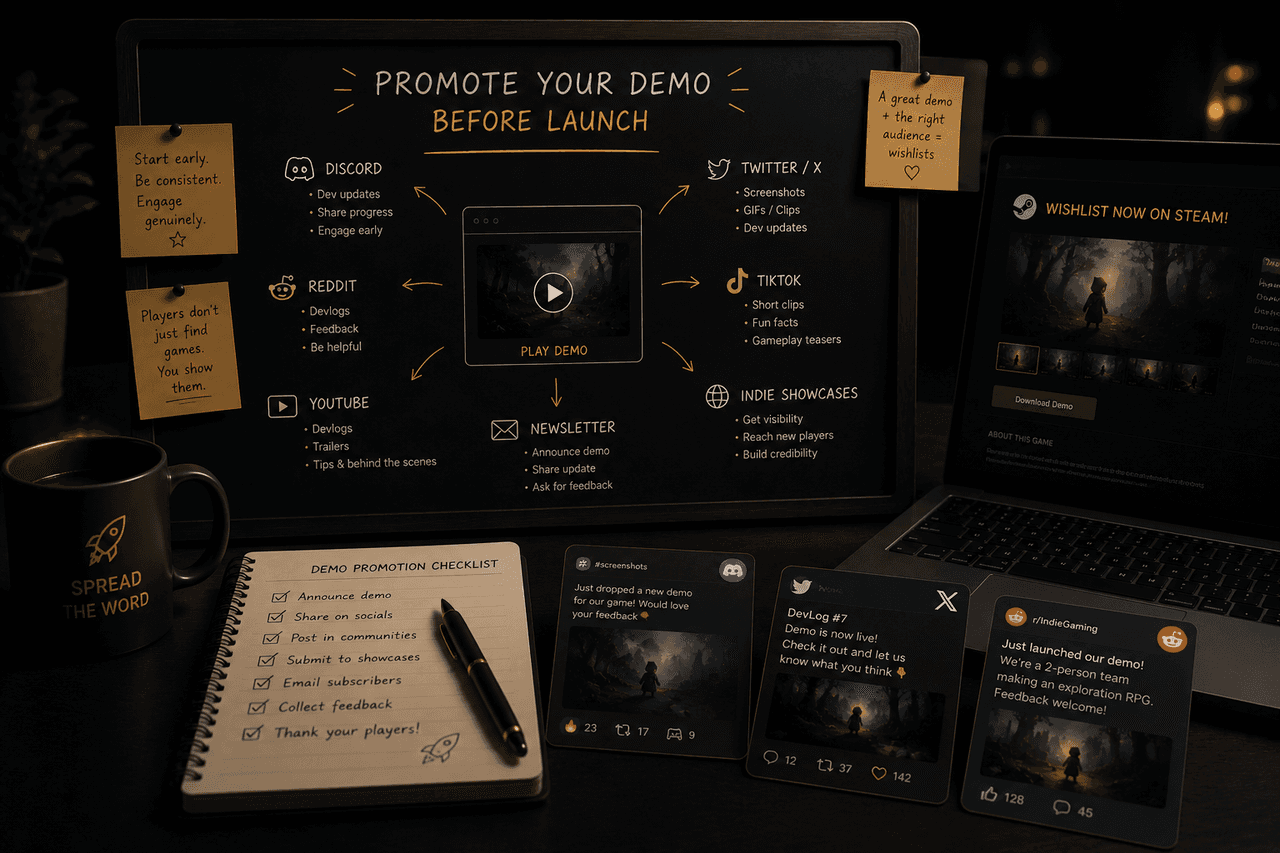
Reddit and Discord
These channels work best when your demo creates a specific conversation:
- "we just launched a demo and want feedback on the opening loop"
- "here is a playable slice from our tactics roguelike"
- "we want to know whether the combat tutorial is clear"
What does not work:
- random "play my demo" posts in unrelated spaces
- posting links without screenshots, clips, or context
- disappearing after the link drop
Use community channels for fit and feedback, not just exposure.
Short trailer clips still matter
Not everyone will click a full trailer, and not everyone trusts a static screenshot. Short clips are still one of the cleanest bridges into a demo.
Good clip use:
- one mechanic
- one atmospheric reveal
- one surprising interaction
- one clean before/after comparison
Bad clip use:
- long logo openings
- tiny UI with no visible payoff
- editing that makes the game harder to understand
Demo feedback collection
Demo promotion is not just about visibility. It is also your cheapest pre-launch user research window.
Decide before the demo goes live:
- what you want feedback on
- how players can report issues
- how you will separate bug feedback from taste feedback
- whether you are optimizing for conversion, clarity, or retention
Simple beats usually work best:
- one Discord channel
- one short survey
- one form field on the demo page
- one pinned creator or community post asking specific questions
Where GameHubber fits
GameHubber is useful when your demo is part of a broader launch discovery plan.
Today, demo-ready games can benefit from:
- Discover visibility for players already filtering by taste or platform
- Release Radar support when the launch timing is close enough to matter
- broader upcoming-game visibility around your demo beat
Future demo-watch surfaces can make that even more explicit, but the core value already exists now: a clean game page, release visibility, and another path for interested players to click through when the demo earns their attention.
That matters because GameHubber can help extend the life of a demo beat after the first announcement spike.
GameHubber CTA
Preparing for launch?
Use GameHubber Studio to manage your listing, track store clicks, and prepare your launch visibility.
A practical demo promotion plan
6 to 8 weeks before the push
- clean up the store page
- prepare capsule art and screenshots
- cut short clips from the demo
- build the creator shortlist
- decide what feedback matters most
2 to 3 weeks before the push
- verify the demo build is stable
- queue community posts for the right spaces
- prepare press kit and trailer links
- make sure your GameHubber listing is current
Demo week
- post the clearest clip first
- send targeted creator outreach
- publish in the communities that actually fit
- collect issues and player confusion points
- watch which messages lead to store clicks
After the first spike
- keep using the demo in creator outreach
- update the store page based on confusion points
- reference the demo in your GameHubber listing and launch planning
- do not let the beat die after one post
Mistakes to avoid
- promoting the demo before the store page is credible
- leading with "we launched a demo" instead of why the demo is worth playing
- targeting every community instead of the right ones
- ignoring feedback because the demo was meant "just for visibility"
- assuming demo downloads automatically become wishlists
Checklist
- polished Steam page
- stable demo build
- short trailer clips
- creator shortlist
- feedback channel
- GameHubber listing updated
- community posts with context
- follow-up plan after the first spike
Final takeaway
A demo does not market itself. It gives you a stronger thing to market.
Use Steam for conversion, creators for fit, communities for discussion, and GameHubber for another launch-facing discovery layer that can keep sending qualified traffic after the first wave of attention.
Continue exploring
Related release radar and discovery pages
Developer Guides
Practical launch, wishlist, demo, creator, and visibility guides for game developers.
Developer platform
Learn how GameHubber helps studios get discovered before and during launch.
Studio
Open the studio workspace for listings, analytics, and launch-readiness tools.
Submit your game
Start a new game listing with launch, media, and store details.
Studio billing
Manage Studio Pro, campaign packages, and billing details.
Release Radar
Track upcoming games by platform, genre, mood, and release timing.
Discover Games
Swipe through trailers and explore upcoming games by platform, mood, and demo availability.
Daily Board
See today's launches, community voting, and follow-up discovery momentum.
Continue exploring
More guides like this
Best Places to List Your Indie Game Before Launch
A practical pre-launch visibility map for indie developers who need more than a Steam page and a vague marketing plan.
How to Get More Steam Wishlists Before Launch
A practical wishlist plan for indie teams that want more qualified store intent before launch.
Indie Game Launch Checklist: What to Do Before Release
A timeline-based launch checklist for indie developers who need a practical sequence, not a motivational poster.
Author
GameHubber
Editorial voice for upcoming games, demos, hidden gems, and discovery guides tied directly to the GameHubber product surface.
Share this guide